Content Creation
Exams
Build assessments around what you teach.
- Set the assessment
- Prepare the questions
- Review the attempt
Choose the rules for this assessment.
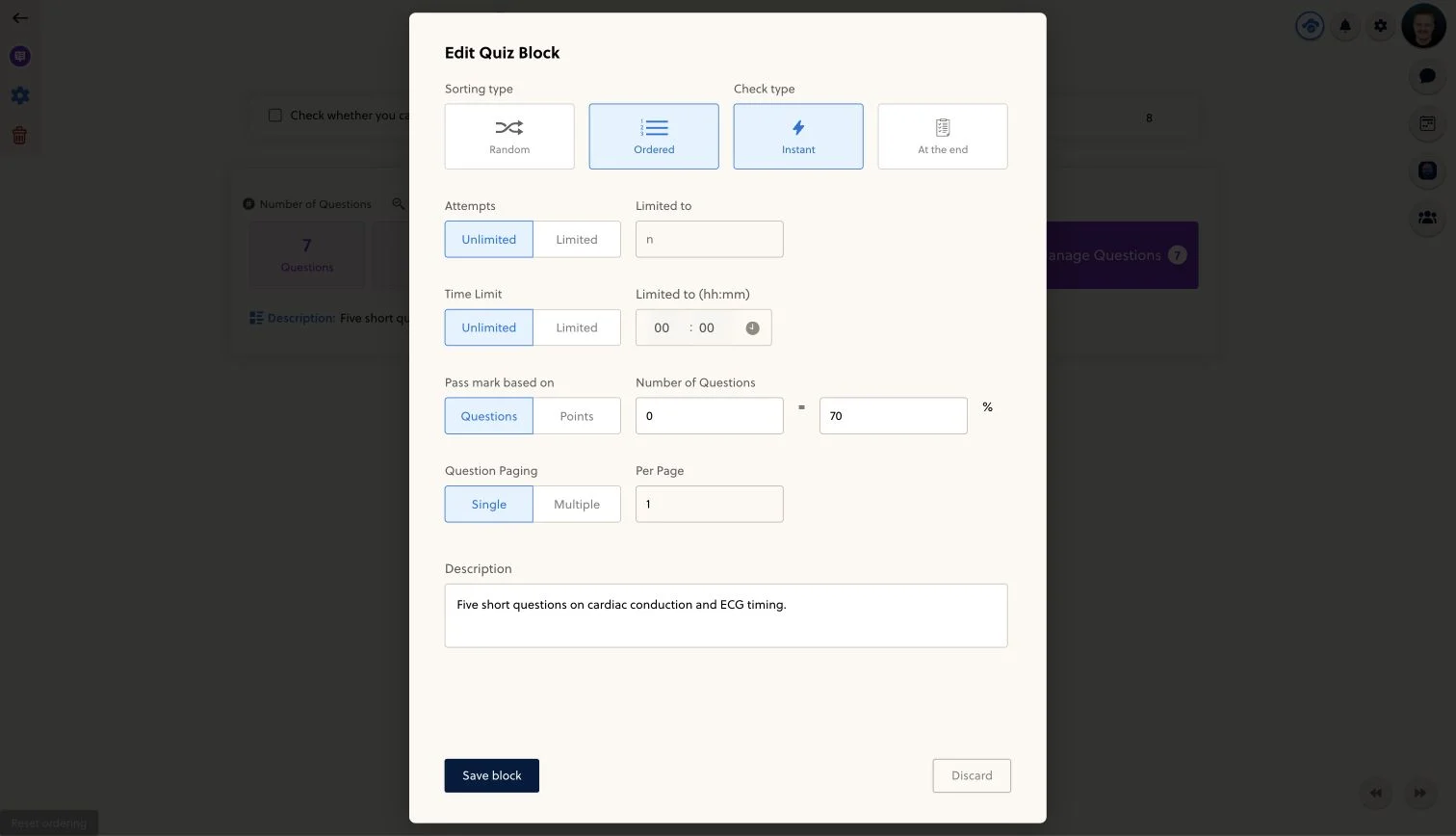
A quick lesson check and a timed practice paper need different settings. Configure question order, attempts, timing and the pass mark to suit the purpose, then decide when students should see feedback.
- Question order
- Attempt limits
- Time limit
- Pass mark
- Feedback timing
- Question paging
The screenshot shows the configuration controls, not a recommended assessment preset. Review your own values before publishing.
Make the questions worth answering.
Build the question set around the material students have learned. Check the wording, answer keys and explanations, and use topic organization to keep the wider question bank useful for revision.
- Choose questions that match the learning goal
- Review answers and explanations
- Organize supported practice by topic
Review the experience before it counts.
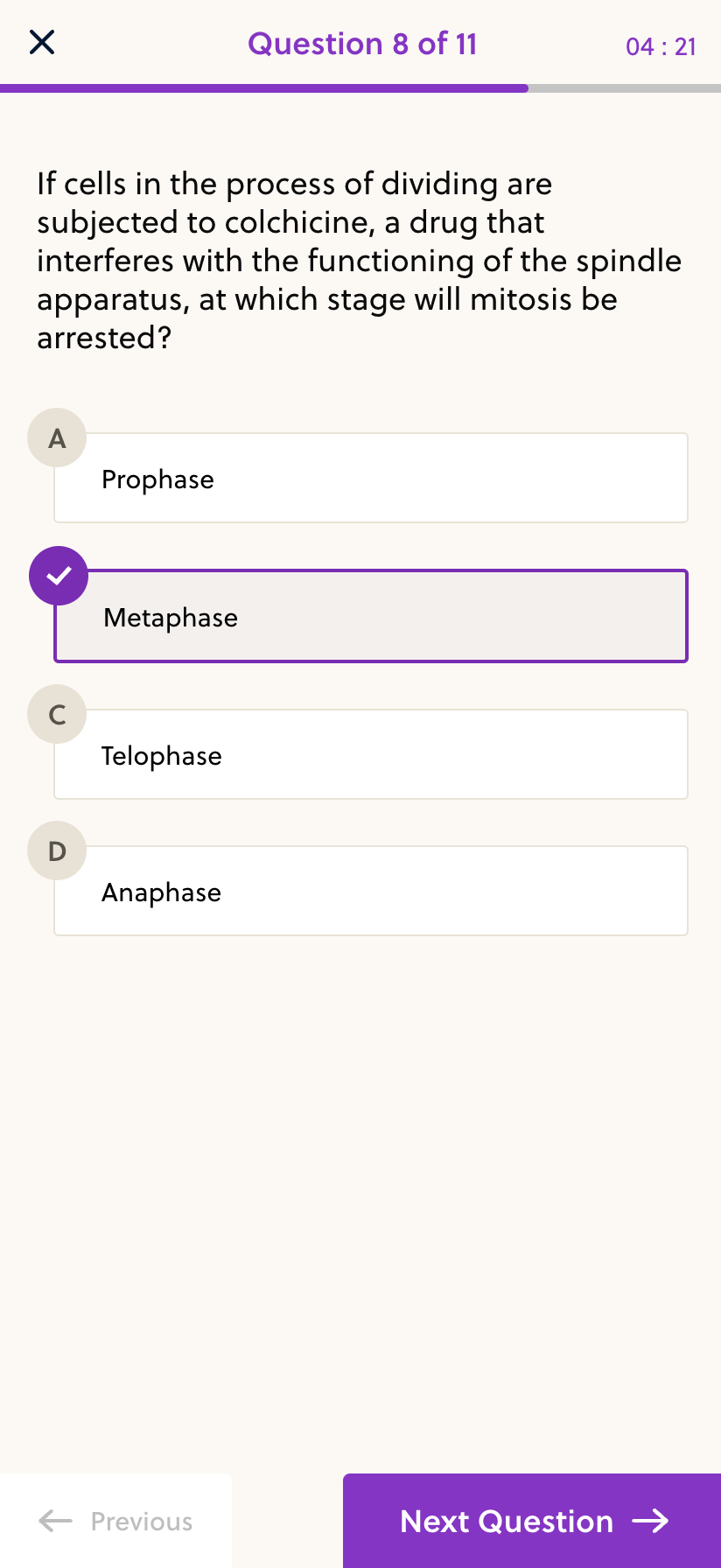
Test the question set in a dedicated test account before inviting students. Check the instructions, answer flow and feedback on the devices they will use, then review the results in the context of what the quiz measures.
- Check a test attempt and its feedback
- Verify timing and pass-mark settings
- Review the mobile question layout
Frequently asked questions
Can I set a time limit and number of attempts?
Yes. Quiz configuration includes limited or unlimited time and attempts. Choose and test the settings for the specific assessment before publishing it.
Can feedback appear immediately or at the end?
The quiz editor offers instant checking and checking at the end. Pick the mode that fits practice or assessment, and review the actual question explanations in a test attempt.
Are course quizzes and topic practice the same thing?
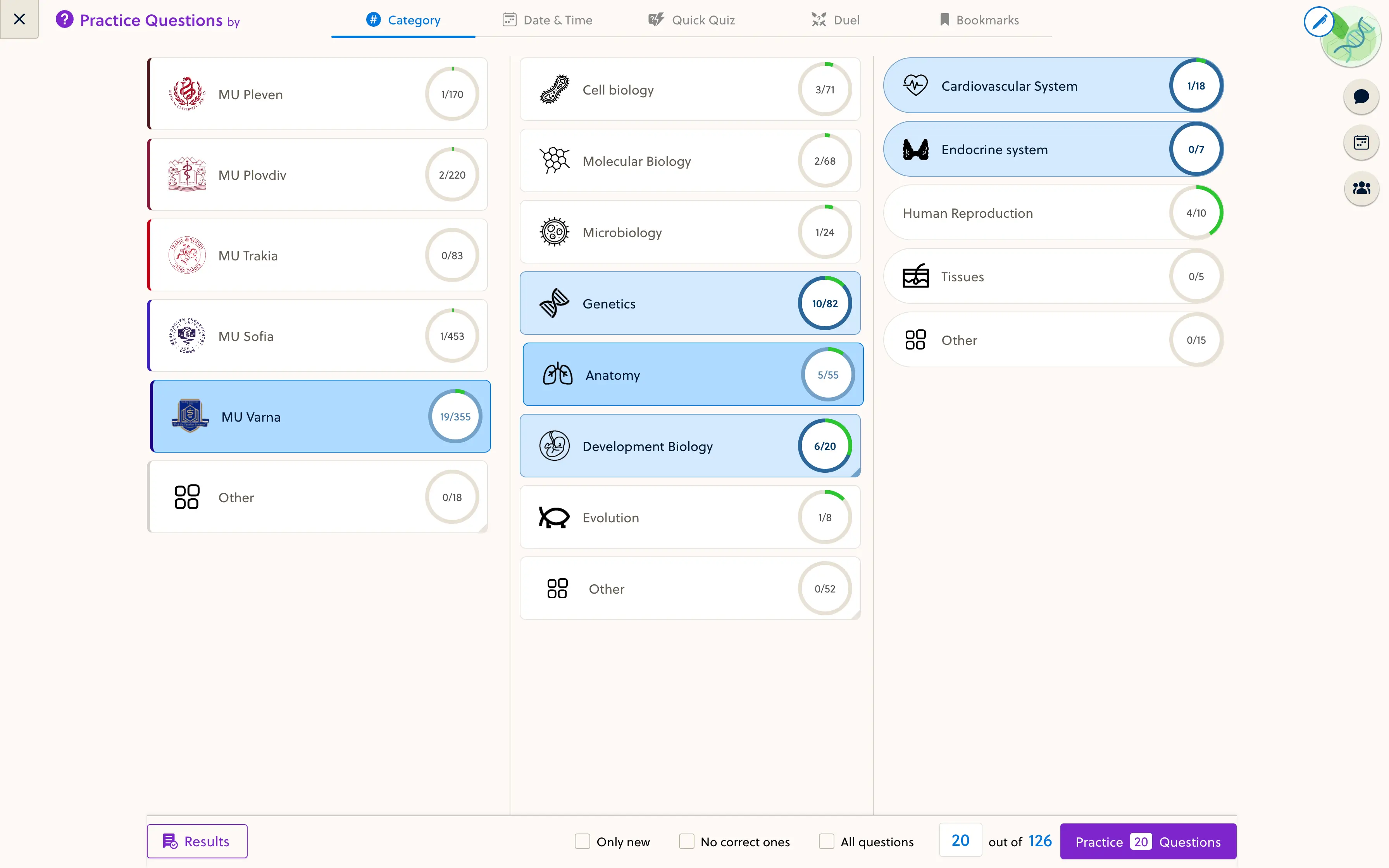
No. A course quiz is a configured question set in the learning path. Topic practice lets students work with available questions by category where that question bank is enabled.
Does PrepOS include proctoring or a secure exam browser?
Those are not part of the standard quiz workflow described here. Discuss formal exam, identity verification or supervision requirements before relying on the platform for a high-stakes assessment.
Does the platform supply my exam questions?
Not automatically. Question content, rights and access are part of your course or agreed content setup. An existing bank shown in an example is not a promise that its questions are included with every space.
Bring a sample paper. Build the right assessment.
Review your question formats, timing and feedback requirements with the founder.